18Cameras: what a robot actually sees
The arm's wrist camera hands the robot a grid of colored squares with a block somewhere in it. Watch the block go from four blue squares to a cube with edges, and see what no picture tells the robot: how far away anything is.
This assumes: Measuring distance: sonar and lidar, Touch and force: feeling the world. About 9 minutes of reading.
Look at the table in the box below and say what is on it. The arm's blue block and its cream egg, the block nearer the arm and the egg to its right, both a hand's width beyond the jaws. That took you no time and no thought. The camera on the arm's wrist is looking at the same table, and what it sends the robot is in the corner of the box: forty-eight colored squares.
A grid of numbers
A camera is a sensor that catches the light arriving from a wedge of directions in front of it and reports, for each of a grid of small patches across that wedge, how much red, green and blue light came in. The mechanism is in three parts. A lens at the front bends the light from the scene so that light from each direction lands on one spot of a chip behind it, the way a magnifying glass throws a picture of the window onto a wall. The chip is a grid of tiny patches, each of which counts the light landing on it for a fraction of a second and reports the count as a number, 0 for no light up to 255 for as much as it can take. And each patch sits under a tiny colored filter, red, green or blue, so it counts only that color's light. A patch under a red filter has no green or blue count of its own, so it borrows them from the green and blue patches beside it, which are close enough to be looking at the same speck of the scene; that way every spot in the grid ends up with three numbers, one for each color.
One patch of that grid is a pixel, the smallest piece of the picture, and three numbers is all it is. Sunlight is a mix of every color, and a surface sends back some colors more than others: the block sends back more blue than red, so its pixels have a blue number well above their red one; the table sends back all three about equally, so its pixels have three nearly equal numbers. Equal numbers mean no color wins, so the eye sees no color at all, only how bright: three big equal numbers are a light gray, three small ones a dark gray. In the picture below, the top of the block comes out at about 135 red, 170 green, 210 blue, blue on top and red at the bottom, all three well above zero because a lit block sends back some of every color; the table at about 220, 220, 225; the arm's shadow on the table, which is the same table with less light on it, at about 140, 145, 150; the top of the egg at about 225, 220, 210, a cream only a shade warmer than the table; and the yellow jaws at about 200 red, 185 green, 80 blue.
Now count. A picture eight pixels wide and six tall is 48 pixels, 144 numbers. Sixteen by twelve is 192 pixels, 576 numbers. The 320 by 240 you will also see below is 76,800 pixels, 230,400 numbers, and a real camera hands over a fresh set thirty times a second. A phone camera has twelve million pixels. Beside the last module's rangefinder and its one number, a camera is a flood, and the question this module ends on is how a robot finds one block in it.
The wedge the camera takes in is its field of view: anything outside that wedge is not in the picture at all, however close it is. The one on the wrist below takes in about sixty degrees from side to side and fifty from top to bottom. Turn the camera a little and the block slides across the picture; turn it more and the block is off the edge, and the picture holds no trace that it was ever there.
The box
The box holds the arm you have met, with the block it lifted and the egg it squeezed, standing at the near edge of a table. Its wrist is turned a quarter turn so the jaws open sideways, and its camera, a small lens on the side of the wrist, looks down past the jaws at the table. The block sits 28 centimeters in front of the base, the egg beside it on the arm's right, and the camera is 14 centimeters from the block. In the bottom right corner of the box is the camera's picture, drawn as hard squares: eight across and six down to begin with. The two yellow shapes at the bottom of it are the tips of the jaws themselves, in every picture a wrist camera takes. Above the sliders is a row of buttons marked Pixels, which sets how many the camera has, and under it four sliders that move the arm: Shoulder turn swings the whole arm, and camera, left and right; Shoulder lift, Elbow and Wrist bend raise it and tilt it. Reset, above them, puts the arm and the picture back as they started. Under the words is a video of a robot car whose camera has a small screen of its own, and the last two sections refer to it.
This is easier on a larger screen, but it works here too.
What you saw
Four pictures of one table, and only the number of pixels changed. At eight by six the block was four blue squares, which a robot has to decide are a block; at sixteen by twelve it was about twenty, at 320 by 240 it had edges and a lit face and a shaded face. A finer grid tells the robot more, at the price of more numbers to look through, thirty times a second. That trade is real: most robots work on pictures far smaller than a phone's, a few hundred pixels across, because every test the robot runs is run once per pixel and it has a thirtieth of a second before the next picture arrives. Twelve million pixels is a hundred and fifty times the work of 320 by 240, for no better answer to where the block is.
The egg nearly vanished at eight by six: one square, and a cream so close to the table's gray that you would not pick it out without knowing it was there. At sixteen by twelve its underside came out the gray of the arm's shadow, because it sits under the arm, and what reaches the camera from a shaded cream surface and a shaded gray one is nearly the same three numbers. A camera reports light, not objects. Move the lamp and every number changes though nothing on the table moved; put a thing in a shadow and it borrows the shadow's color. A robot that looks for "dark gray" finds its own shadow, and a robot that looks for cream loses the egg the moment the arm leans over it.
The block slid off the picture by 30° of turn and the camera kept no trace of it. That is the field of view, and it is the camera's version of the last module's rule: a rangefinder knows nothing beside its line, and a camera knows nothing outside its wedge. Sixty degrees sounds like a lot until you remember that your own eyes take in nearly two hundred; a robot that wants to know what is beside it must turn its camera there, or carry several.
And the block shrank to a quarter of its squares when the camera moved ten centimeters further off, without a number anywhere in the picture saying so. A picture is flat. It says which direction each patch of color lies in, and nothing about how far along that direction it is: a small block near and a big block far away fill the same pixels. The rangefinder gave five distances and no picture; the camera gives 230,400 numbers and no distance. A robot that knows the block is 36 millimeters wide can work the distance out from how many pixels wide it looks, which is how the robot car in the video follows a cut-out as it is drawn away, by watching the box it draws round the cut-out shrink; one that does not know the size needs two cameras a little apart, or a rangefinder next to the camera, and a later module takes that up.
From numbers to "there is the block"
The robot's computer receives 576 numbers and has to answer one question: where is the block? The plain way is a color test. Go through the pixels one by one, and for each subtract its red number from its blue: the block's top scores about 75, the table and the shadow about 5, the egg about −15 and the jaws about −120. Keep every pixel that scores above 40. Those pixels are the block; there are about twenty of them, their middle is the block's place in the picture, and their width is how big it looks. From the block's place the robot knows which way to turn the camera, and from its width, knowing the block's true size, roughly how far. That whole trick is a few lines of code, and the small camera on the robot car in the video does the same job with a cleverer test, on a cut-out it was shown once.
Everything harder than that is computer vision: the work of turning a camera's grid of numbers into things and where they are, from a color test to telling a cup from a hand. A cup is not one color or one shape, and it looks different from every side and under every lamp, so no color test finds it; the robots that manage it were shown millions of pictures of cups and learned what the numbers of a cup tend to look like, and a later module is about that kind of learning. For now, hold on to the shape of the problem: the richest sensor in this part of the course hands over the most numbers and the least meaning, and every use a robot makes of it starts with a test as blunt as "keep the blue ones".
What the simulation leaves out
The camera below is perfect. Its numbers come from the picture the simulation draws, so there is no grain, no blur when the arm moves, no glare and no lens; a real camera's numbers wobble by a few counts from one picture to the next even with nothing moving (the last module of this part is about that), its lens bends straight lines near the edges, bright sunlight sends its pixels to 255 and leaves a white blank where the window was, and its picture reaches the robot's computer a few hundredths of a second after the light arrived. The lamp here never moves or changes color; a real room's does, and the same block reads bluer under a cold white lamp and grayer at dusk. What the simulation keeps is the part that matters: a grid, three numbers a square, no distances, no names, and a robot that has to find its block in there.
Watch
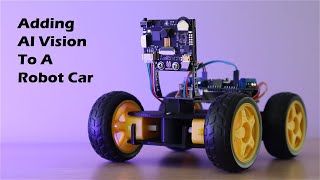
Adding AI Vision To A Robot Car Using A Huskylens - Line & Object Tracking — Michael Klements (3:35 of it, starting at 1:53)
- Why this video
- A real camera module on a real robot car, with its own small screen showing what the camera sees and what the software makes of it: a line on the floor with an arrow drawn over it, then a cut-out shape with a box drawn round it that slides across the screen as the shape moves and grows and shrinks as it comes nearer and goes away. That box is the whole of this module's last idea, the picture's numbers turned into "where" and "how big", and then the car drives after it.
- What to watch for
- At 2:00 the sensor is switched to line tracking and at 2:08 the learn button is pressed on a line drawn on paper; at 2:15 the blue arrow the software draws over the line, and at 2:22 how it keeps the arrow when the line is taken away and brought back. At 3:29 the camera's own screen while the car follows a line on the floor, and at 3:52 the car held up so the wheels show how the line's direction sets each side's speed. At 4:08 object tracking: at 4:19 a cut-out is put in the box on the screen and learned, at 4:24 the box follows it, and at 4:30 the box gets bigger and smaller as the cut-out comes nearer and goes away, which is the only distance a single camera has. From 4:48 the car follows the cut-out around the room.
Words introduced
- camera
- A sensor that catches the light arriving from a wedge of directions in front of it and reports, for each of a grid of small patches across that wedge, how much red, green and blue light came in. It hands a robot a picture made of numbers, and nothing else.
- pixel
- One patch of a camera's grid, the smallest piece of the picture, reported as three numbers, the amounts of red, green and blue light that landed on it.
- field of view
- The wedge of the world a camera takes in at once. Anything outside it is not in the picture at all, however close it is.
- computer vision
- The work of turning a camera's grid of numbers into things and where they are, from finding a patch of one color to telling a cup from a hand.
Where next
Suggested next: 19. Odometry: where am I, and why wheels lie